
Tap what’s wrong. Get 3D repair steps.
Mechy builds the steps for your car, machine or home, with moving 3D drawings.
First guide free · No sign-up · No card
12345678
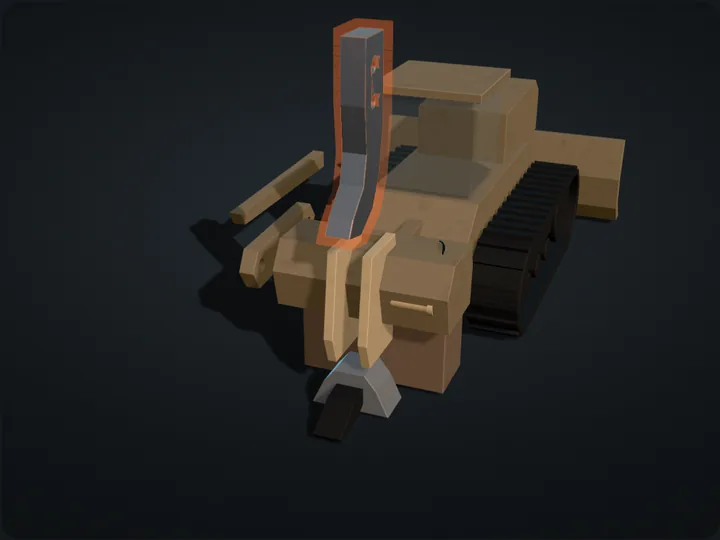
Exchange the shank
ExcavatorRated lifting tackle
Lift out the broken shank; lower the verified replacement into the supported pocket.
CAUTION
Move the tooth only if serviceable and compatible; inspect its retention.

01Snap
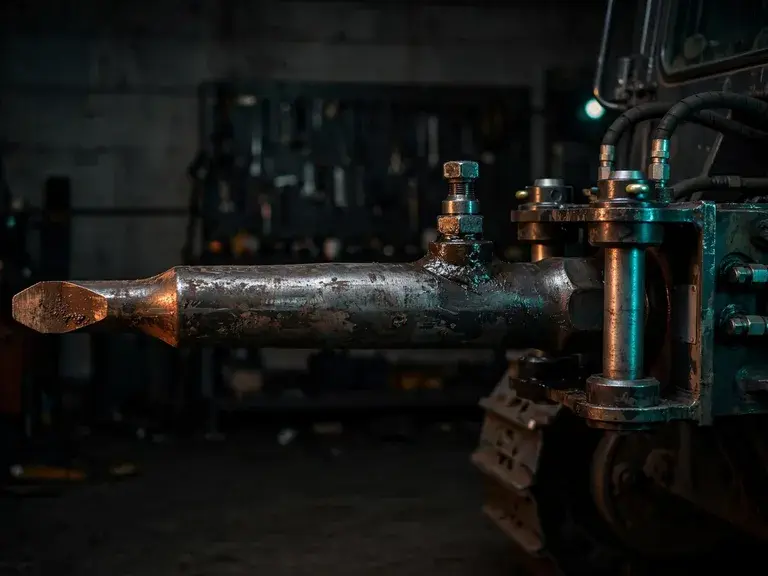
Point it at the machine.
Mechy reads the make, the model and the part from your photo.
Breaking it down
- Up to 6 photos, or none at all
- It tells you when it isn’t sure
- Machines, cars and jobs at home
02Say
Say what’s wrong.
Hold to talk with your gloves on, or type it in your own words.
Show me
the job
CameraLibraryThe new shank won’t line up with the pocket.
- Talk for up to 90 seconds
- No scanner or adapter to plug in
- Add the make and model if you know it
03Build
It builds the job in 3D.
The machine, the part and every piece that comes off, with the tools and parts you need.
12345678
Dozer ripper shank swap
DANGER
- Lock out: implements down, chocked, key out, isolator off, tag on.
- Support it: level ground, rated stands or cribbing, not a jack.
- Relieve pressure: engine off, cycle controls, bleed accumulators.
- Ready in under 30 seconds, most times
- 22 parts you can turn around
- Tools and parts listed first
04Follow
Follow it step by step, safety first.
Lockout and support come first. Then each step moves the parts it works on.
12345678
Exchange the shank
ExcavatorRated lifting tackle
Lift out the broken shank; lower the verified replacement into the supported pocket.
CAUTION
Move the tooth only if serviceable and compatible; inspect its retention.
- Up to 14 numbered steps
- Each step read aloud
- Ask Mechy about any step
What’s wrong with yours?
Questions about Mechy
What is Mechy?
A repair app. Snap a photo of the machine or part, say what’s wrong, and it builds numbered repair steps with moving 3D drawings, the tools and parts you need, and the safety checks first.
Is Mechy the same as Meshy or mechy.ai?
No. This is the repair app at mechy.si, made by Winding AI Inc. Meshy is an AI tool that makes 3D models from text or images, and mechy.ai is a separate engineering tool for makers and hardware startups.
Is Mechy free?
Your first 3 guides are on us, and the first needs no account. Pro makes up to 100 a month, for $79 a year ($6.58 a month) or $9.99 monthly. See pricing.
What can Mechy fix?
Heavy equipment (excavators, dozers, skid steers, loaders, haul trucks and wash plants: hydraulics, tracks, pins, drivelines, fault codes) and the jobs around the house. Cars and pickups too: snap the job and Mechy builds the steps from your photos. The first ready-made car guide is the RAV4 cabin air filter. Mechy doesn't plug into the car's OBD2 port or read its computer; if a scanner gave you a code, type it in. For an app that does read it, see Mechy vs FIXD. If a job needs a specialist, the guide says so.
Can it tell what’s wrong from a photo?
Partly. Mechy picks out the make, model and part from your photo when it can, tells you when it’s unsure, and lists the fixes in the order a pro would try them. For warranty work or a complex electrical fault, use your dealer.
Who is Mechy for?
Mechanics, equipment operators and people fixing things at home, with the machine or part in front of them. Fleets, contractors and dealers use Mechy for teams, where a senior tech approves each guide before the crew sees it.
Is it safe to follow?
Every guide starts with the safety steps for the job (lockout, blocking, power off, hot oil) and lists when to stop and call a pro or the dealer. Torque values and other specs are flagged to check against your manual. Mechy is a guide, not a replacement for the maker's manual or your training. See what every guide does for safety.
Can Mechy get a repair wrong?
Yes. Guides are written by AI and can be wrong, and Mechy only knows what’s in your photos and what you tell it. If a step doesn’t match what you see, stop, check the maker’s manual, and tap Report a problem so we can look at it.
What won’t Mechy help with?
It won’t help bypass a safety device, run a machine without working brakes, defeat emissions equipment, change a relief or safety valve setting, weld or heat a rim with the tire mounted, or start a machine without its key. It doesn’t cover explosives either. When it refuses, it tells you the safer route, such as testing and replacing a faulty switch or calling your dealer.
Does it work on my phone?
The web app works in the browser on any phone or computer today: open mechy.si/app and allow the camera. The iPhone and Android apps are on the App Store and Google Play: get the app.
How do I pay, and can I cancel?
Pro is paid on the web at mechy.si through Stripe, not in the iPhone or Android app. Cancel any time on the web; Pro stays on until the end of the period you paid for. No weekly plans, and no trial that turns into a charge. The steps to manage or cancel are on the help and support page.